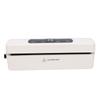
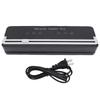
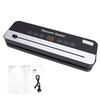
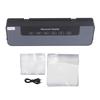
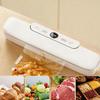
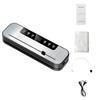
Feature:
1. Film Removal Key: Equipped with ABS toggle key for effortless film removal. Simply press the key to quickly and easily remove the film in case of any jam during lamination, secure and convenient
2. Cold and Hot Laminating: This photo laminator is versatile for both cold and hot lamination, operating with low noise for a quieter work environment, making it suitable more laminating projects
3. Quartz Heating Wire: Utilizes quartz heating wire for faster and more powerful lamination, significantly reducing time costs with a preheat time of just 1 to 3 minutes, improving lamination efficiency
4. High Speed Lamination: Featuring a lamination speed of 320mm per minute, ensuring rapid processing of your materials, with 230mm (A4) laminating width and ≤0.5mm laminating thickness
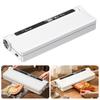
5. Compatibility: Suitable for a wide range of sizes from A4 to 3R, making it suitable for laminating photos, menus, documents, certificates, drawings, and more, catering to diverse office needs
Specification:
Item Type: Photo Laminator
Product Model: FNL009
Power: 300W
Film Removal Method: ABS Toggle Key
Laminating Size: A4-3R
Heating Method: Quartz Heating Wire
Laminating Width: Approx. 230mm / 9.1in (A4)
Laminating Thickness: ≤0.5mm
Preheating Time: 1-3min
Temperature Range: 115℃-145℃
Laminating Speed: 320mm/min
Noise: ≤55db
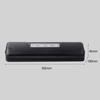
Size: Approx. 315 x 108 x 75mm / 12.4 x 4.3 x 3in
Package List:
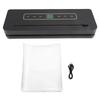
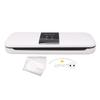
1 x Laminator
1 x User Manual
Note:
Non stick paper, foggy white pieces
1. Not complete the preheating, the temperature is not enough, wait for the laminating machine to complete the preheating (green light) and then use
2. Thickness gear is not correct, select a higher gear, warm up and then laminate
No working or heating of the laminating machine
1. The power supply is not fit, please check the power supply specification before powering on the laminating machine.
2. The switch is not set to on hot mode, set the switch to on hot mode.
Bubbles, wrinkles, bent photos
1. Incorrect thickness gear, select a lower gear, cool down and and then laminate.
2. The rollers of the laminator are not flat and there are debris, check the rollers and clean them.
3. Laminating objects are not placed on the level, there are debris, laminating before removing debris, put the objects on the level and then laminatied.
What should do if there is a paper jam?
1. Not correctly feed the paper, the roller on the foreign body, switch off and hold down the ABS key for the film, clean the roller
Smoke over the laminating machine
1. Normal vulcanization of the new machine imagined, a normal phenomenon of the new machine, more than a few times will disappear.
2. Power supply voltage does not match (burnt flavor), please check the power supply specifications before powering up.