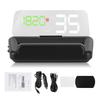
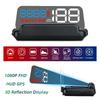
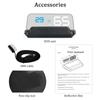
Feature:
1. Multi‑function display area, which can display time, voltage, altitude, number of satellites, mileage, driving time. Solve the trouble of constantly looking down at the instrument panel.
2. The photosensitive component senses external light and automatically adjusts the brightness of the HUD to adapt to the environment.
3. Driving direction, N for North, S for South, W for West, E for East, the driving direction can only be displayed after the vehicle is driving.
4. Speed, digital display of the driving speed of the car, speed unit, KM H km, MPH mile, free switching of units.
5. Can record driving time, driving distance shows the mileage traveled this time, altitude shows current altitude.
6. Satellite receiving icon; the icon flashes when searching for satellites, it can only be displayed after searching satellite and stoped flashing.
Specification:
Conditon: 100percent Brand New
Item Type: Head Up Display
Material: ABS+PC
Color: BlackLight Color: Green white red, blue white red, red whiteConditions of Usage:
Ambient Temperature: 40 celsius +80 celsius
Atmospheric Pressure: 86 106KPa
Relative Humidity: 10percent 95percent
Environmental Noise: <=60dB(A)
Working Voltage: 5V 24Vdc (12Vdc 200mA)
Standby Current: <=30mA
Host Size:
Folded Size: Approx. 135 x 68 x 30mm 5.3 x 2.7 x 1.2in
Expanded Size: Approx. 135 x 68 x 56mm 5.3 x 2.7 x 2.2in
Virtual Image Screen Size: Approx. 90 x 20mm 3.6 x 0.8in
Display Mode: Virtual Image Reflection Type
Imaging Screen: LED Display
Light Transmittance of Reflective Screen: 96percent
Virtual Image Distance VID: Approx. 55mm 2.2in
Left and Right Viewing Angle: 60 Degrees
Lower Viewing Angle: 15 DegreesFirst Usage:
Place the HUD host in a suitable position on the windshield dashboard, insert the randomly configured USB car charger cigar lighter charger into the cigarette lighter, and start the car at the moment of power on.The main unit displays and returns to the standby state, and the satellite signal icon light starts to flash. The host automatically enters the state of searching for satellite signals,After searching for the satellite signal, the satellite icon light stops flashing and the HUD can be used normally
HUD Settings:
The value displayed by HUD is the value of satellite GPS. Because the value displayed by the car s factory instrument will be different from the calculated value of satellite GPS,
At this time, you can enter the setting mode to fine tune the HUD display value to achieve the purpose of being completely consistent with the instrument. When HUD leaves the factory, the manufacturer will make adjustments according to the general test values. If it is found to be inaccurate with the original car, the following adjustments will be made:Long press the thumbthumbwheel vertically for 5 seconds:
Enter the setting mode (the thumbwheel has three directions: dial up, dial up, dial down), press and hold it vertically, after entering the setting mode, press it vertically once,
The menu area is increased once; dial up and down to increase or decrease the parameter value. After adjustment, press and hold vertically for 5 seconds to return to the display interface..
Package List:
1 x Head Up Display1 x Car Charger Cable1 x USB Charging Cable1 x Manual1 x Non Slip Mat1 x Wiping Cloth
Note: