[Product Infomation]
Brand : ELECOM
Materials : nickel, metal, plastic
[Product Description]
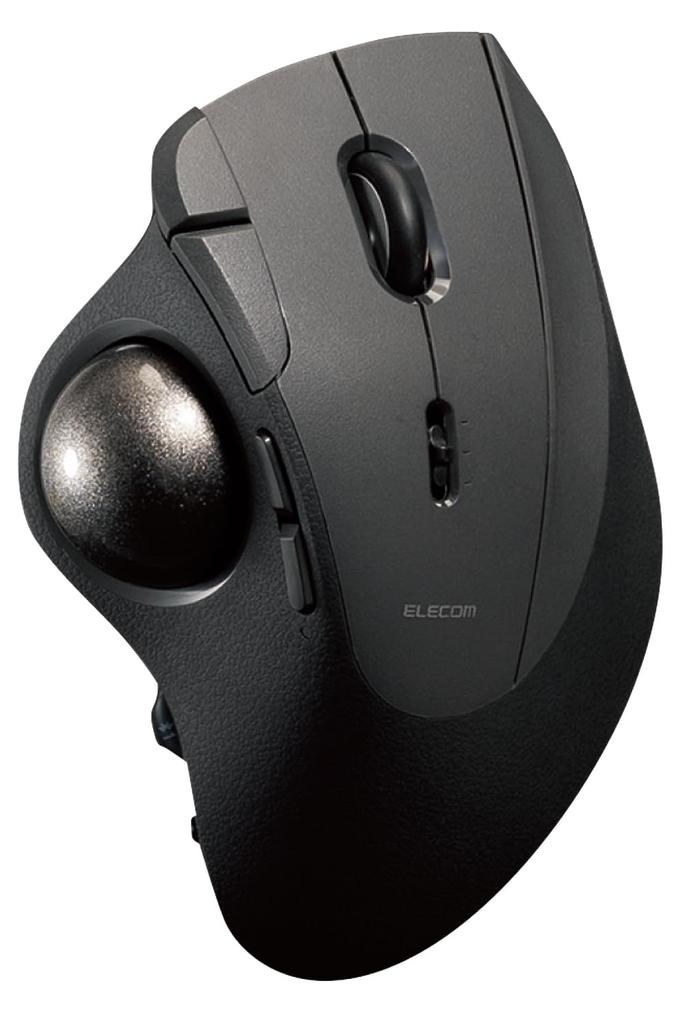
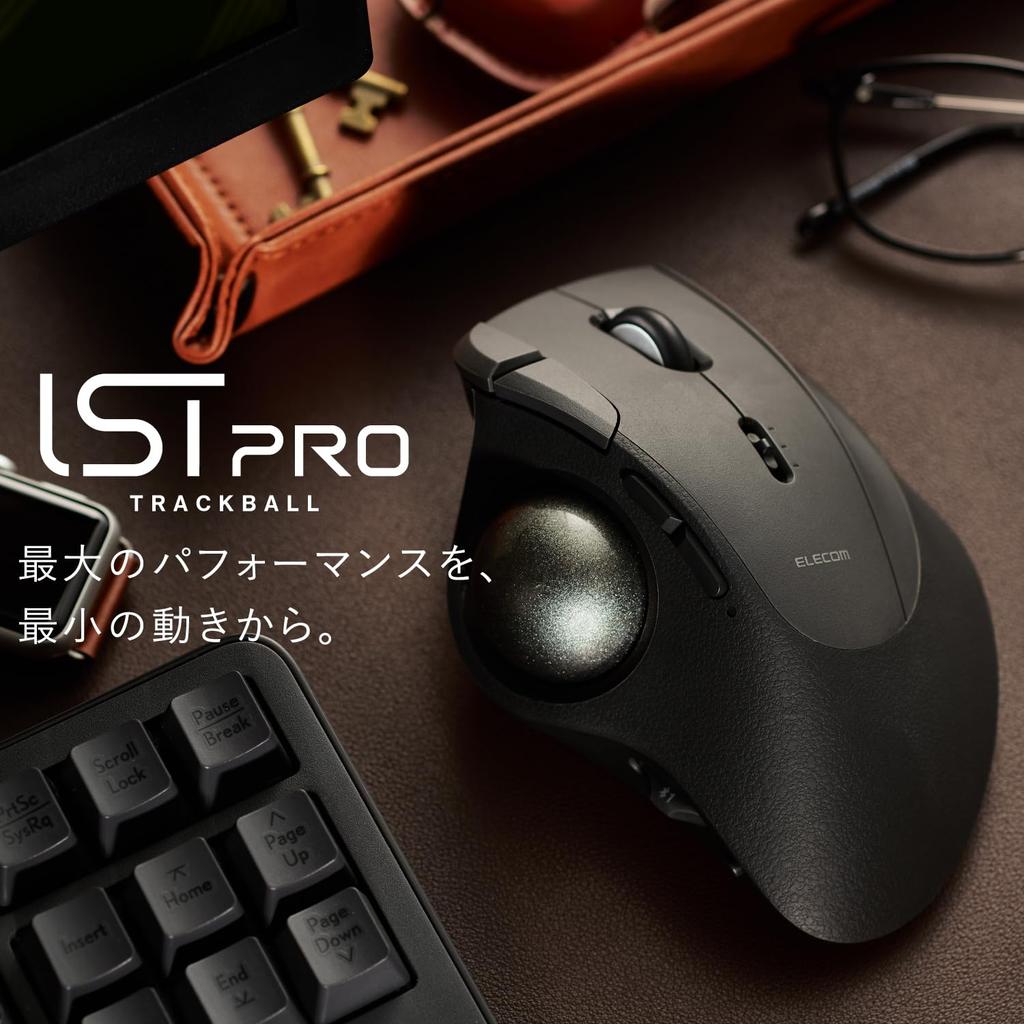
The IST PRO is a high-grade, 10-button model that maximizes the functionality of a thumb trackball. It features a large, 36mm diameter ball that fits comfortably under your thumb. A single touch allows for precise, wide-area pointer movement.
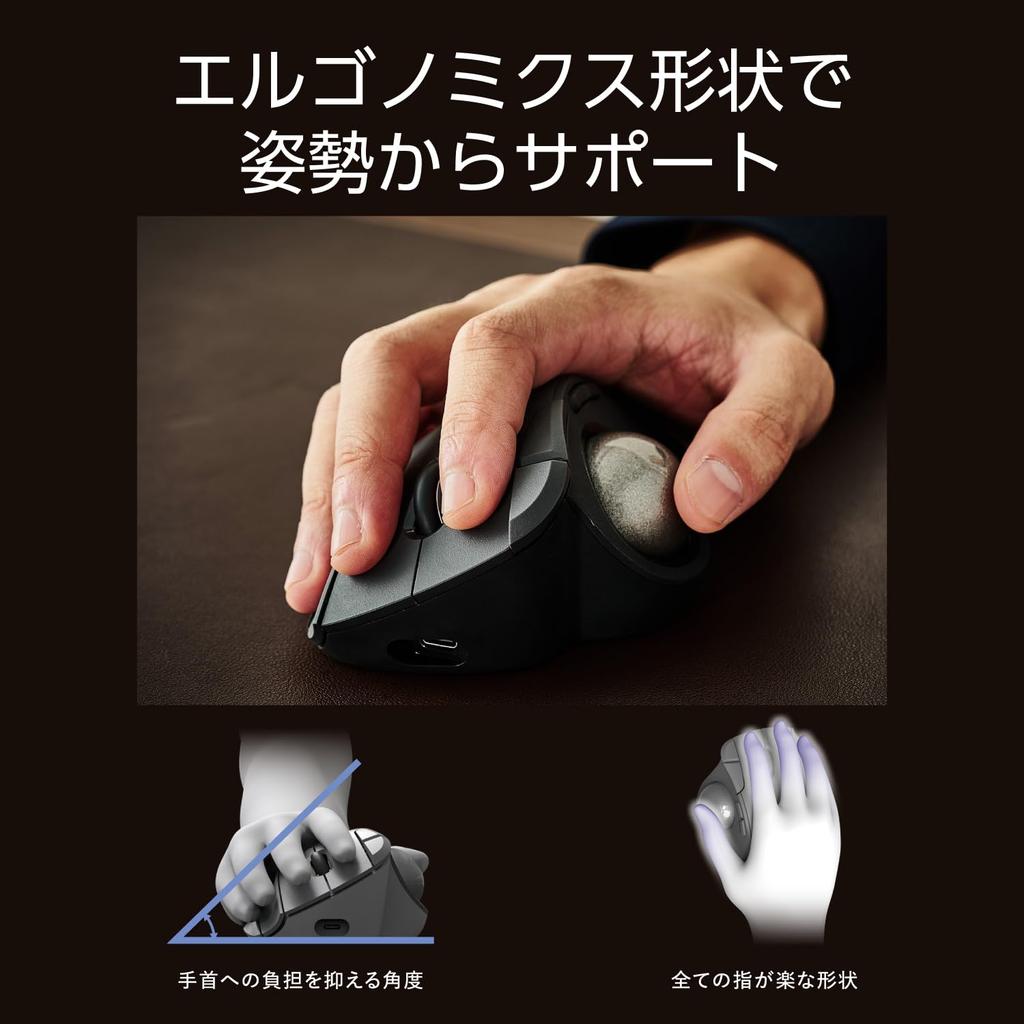
The ergonomic design allows for a natural grip, eliminating the need for a grip. It fits comfortably in your hand, regardless of hand size or grip style. The angled design minimizes wrist strain, ensuring comfort even during extended work sessions.
The bearing support unit uses high-performance bearings from MinebeaMitsumi. This reduces friction, resulting in smooth, floating-like control.
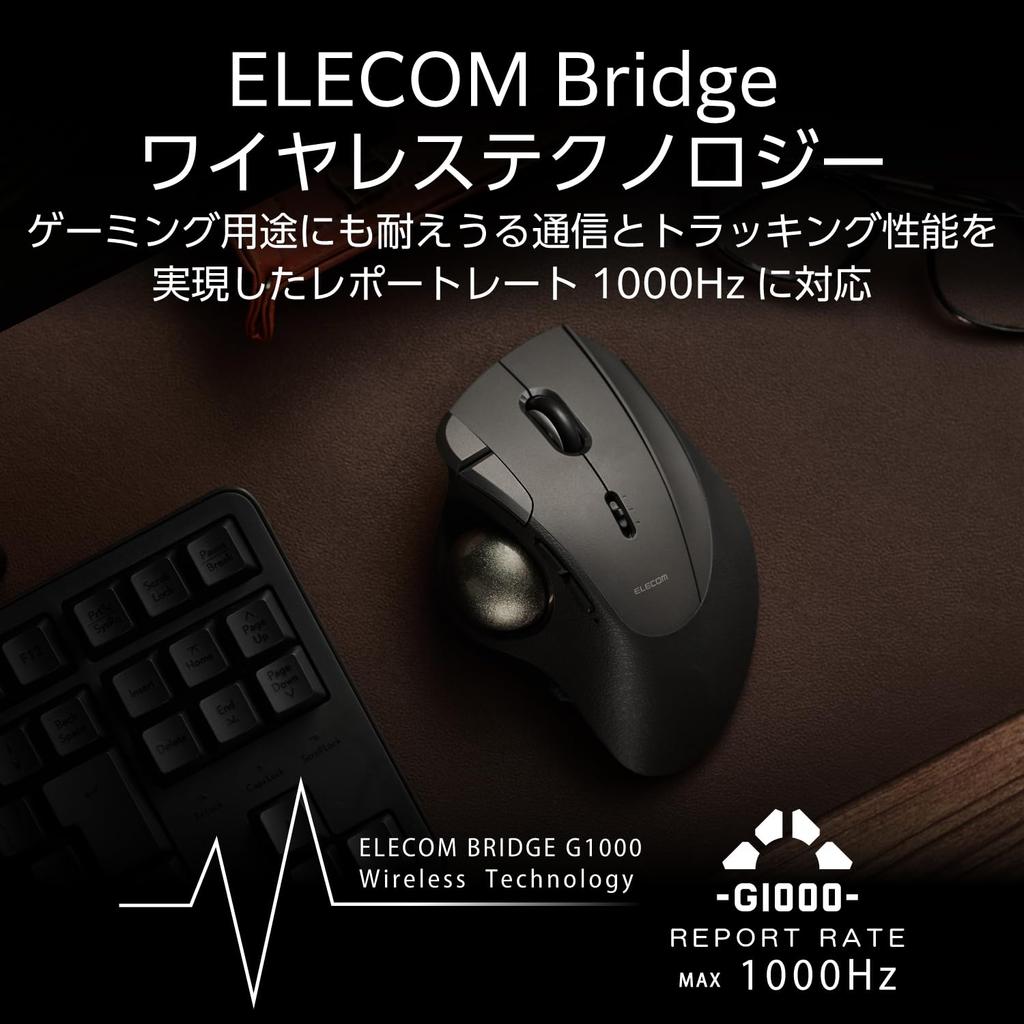
Equipped with ELECOM Bridge G1000 wireless technology. The gaming sensor (PixArt PAW3311DB) and high-grade MCU support a maximum report rate of 1000Hz, providing communication and tracking performance that's durable enough for gaming. Choose from three pointer speed settings: Low, Mid, and High. The default settings are 500/1000/1500 DPI. You can change the setting in 100 DPI increments from 100 to 12,000 DPI using the ELECOM Mouse Assistant.
Warranty Period: 2 Years
Specifications
■Connector Type 1: Receiver: USB-A Plug
■Connector Type 2: Trackball Body: USB Type-C™ Port
■Connection Method: Bluetooth® Wireless, USB 2.4GHz Wireless, USB Wired
■Bluetooth Standard: Bluetooth 5.3 Class 2
■Supported Profile: HOGP (HID Over GATT Profile)
■Compatible Devices: Windows OS, Android, macOS, iOS, iPadOS, and ChromeOS devices that support Bluetooth HOGP, as well as Windows OS, macOS, and ChromeOS devices with a USB port
■Supported OS (Windows): Windows 11/10
■Supported OS (Android): Android 14
■Supported OS (macOS): macOS Sonoma 14
■Supported OS (iOS): iOS 17
■Supported OS (iPadOS): iPadOS 17
■Supported OS (Other): ChromeOS
■Communication Method: GFSK
■Radio Frequency: 2.4GHz Band
■Radio Range: Up to Approximately 10m *May vary depending on usage environment.
■Reading Method: IR LED
■Sensor Resolution: 500/1000/1500 DPI *Can be set to any value between 100 and 12,000 DPI using the dedicated software "ELECOM Mouse Assistant."
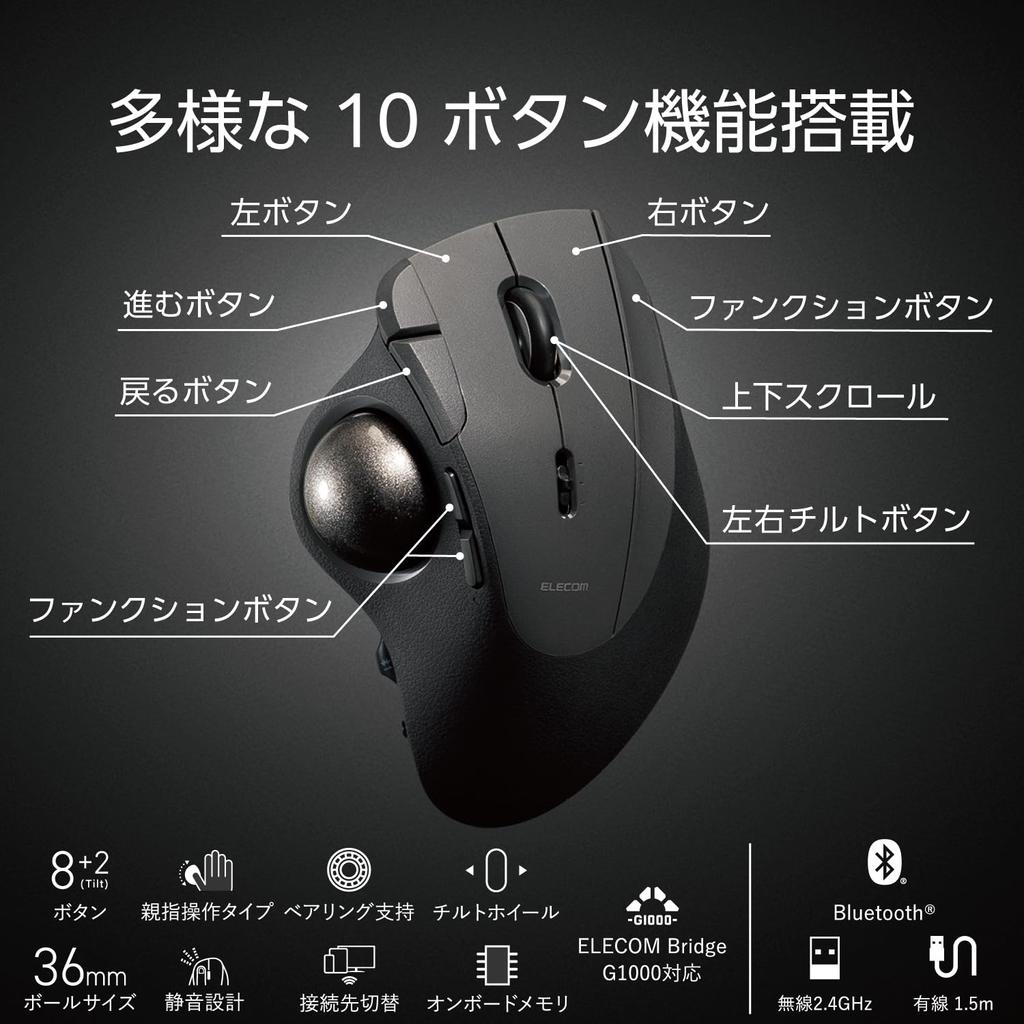
■Number of Buttons: 10 *Including wheel button and tilt wheel
■Number of Wheels: 1
■Ball Diameter: Approximately 36mm
■Support Ball Type: Ball Bearing
■Receiver Storage: Yes
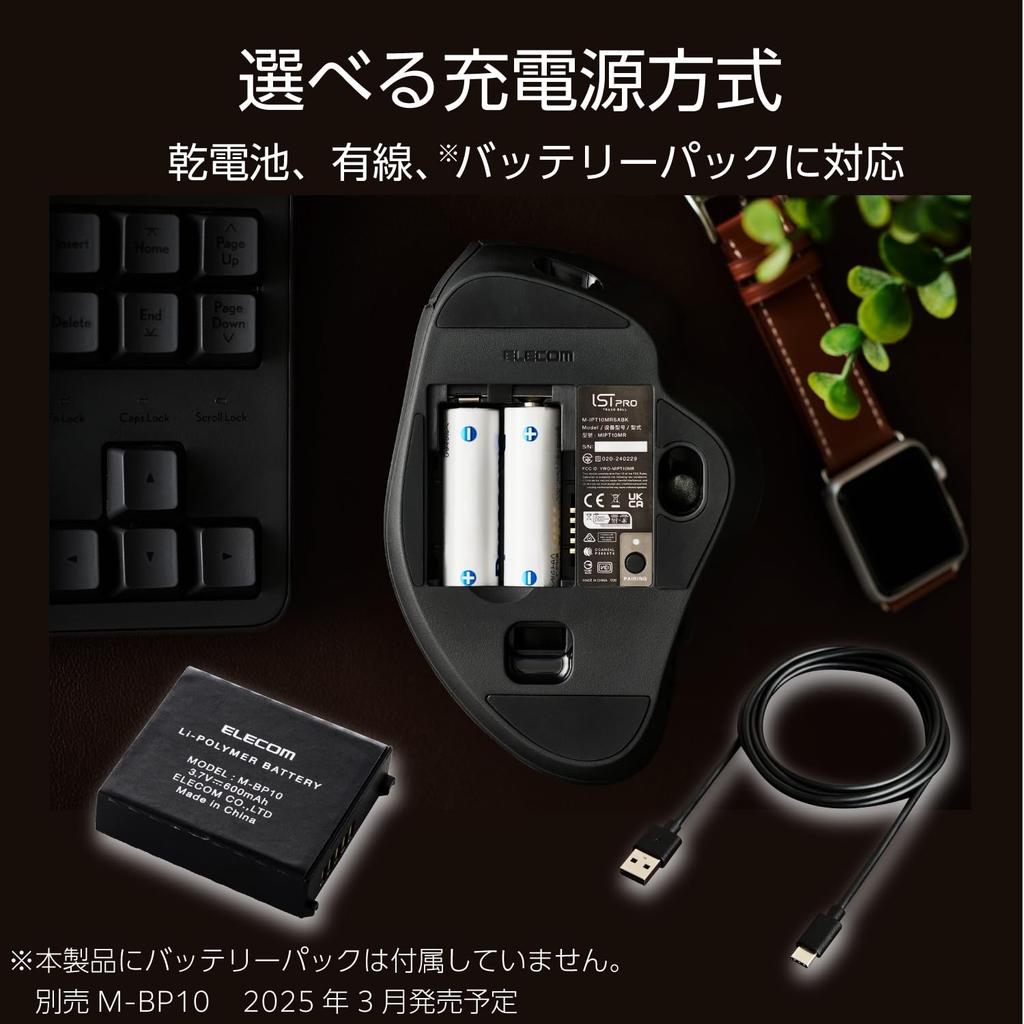
■Power Source: 2 AA alkaline batteries or AA manganese batteries, USB bus power, or rechargeable lithium-ion battery (sold separately: M-BP10 battery pack)
■Report Rate: Up to 1000Hz
■Battery Life: Up to approximately 18 months (estimated when using alkaline batteries) *May vary depending on usage conditions.
■ Cable Length: Approx. 1.5m
■ Dimensions: Approx. 94mm W x 136mm D x 56mm H
■ Dimensions (Receiver): Approx. 16mm W x 19mm D x 9mm H
■ Weight: Approx. 158g (excluding batteries)
■ Weight (Receiver): Approx. 2g
■ Contents: 1 x Trackball, 1 x ELECOM Bridge G1000 USB Receiver, 2 x AA alkaline batteries (for operation verification), 1 x Wired Connection Cable [USB Type-C to USB-A Cable (approx. 1.5m)]
■ VCCI: Class B Compliant
■ Color: Black
■ Warranty: 2 years
[Description]
■ The "IST PRO" is a high-grade 10-button model that maximizes the functionality of a thumb trackball.
■ Features an ergonomic design that allows for natural grip without gripping. It fits comfortably in your hand, regardless of hand size or grip style.
■The tilt angle places no strain on the wrist, ensuring comfort even during extended work.
■The bearing support unit uses high-performance bearings manufactured by MinebeaMitsumi. This reduces frictional resistance, resulting in smooth ball control that feels like the ball is floating in the air.
■Since the ball surface does not rub, dust is less likely to collect on the support unit, ensuring long-term maintenance-free use.
■The support unit is easily removable and can be replaced with bearings or even artificial ruby.
■*Replacement bearing units (M-BS10) and artificial ruby units (M-RS10) are sold separately.
■The ball can be easily removed and replaced through a hole on the back, facilitating maintenance of the ball and internal support unit.
■A large 36mm diameter ball fits comfortably under your thumb. A single operation allows for wide and precise pointer movement.
■*Replacement ball (M-B10SV) is sold separately.
■10-button design with left, right, middle buttons, forward and back buttons, three function buttons, and a tilt wheel. The function button next to the right button also allows you to perform actions with your right ring finger.
■The tilt wheel allows you to scroll horizontally by simply tilting the wheel. Scrolling up, down, left, and right with just the wheel significantly improves work efficiency when using Excel or a web browser.
■Using the dedicated configuration software "ELECOM Mouse Assistant," you can assign your preferred functions to each of the 10 buttons. With an infinite number of directional combinations, you can perform a variety of operations with your right hand.
■Up to three profiles can be saved on the trackball itself. Function assignments are retained even when switching connected devices.
■Connection options include Bluetooth(R), USB 2.4GHz wireless, and USB wired. Compatible with a wide range of operating systems, including Windows and Mac, as well as Chromebooks, iPads, iPhones, and Android tablets.
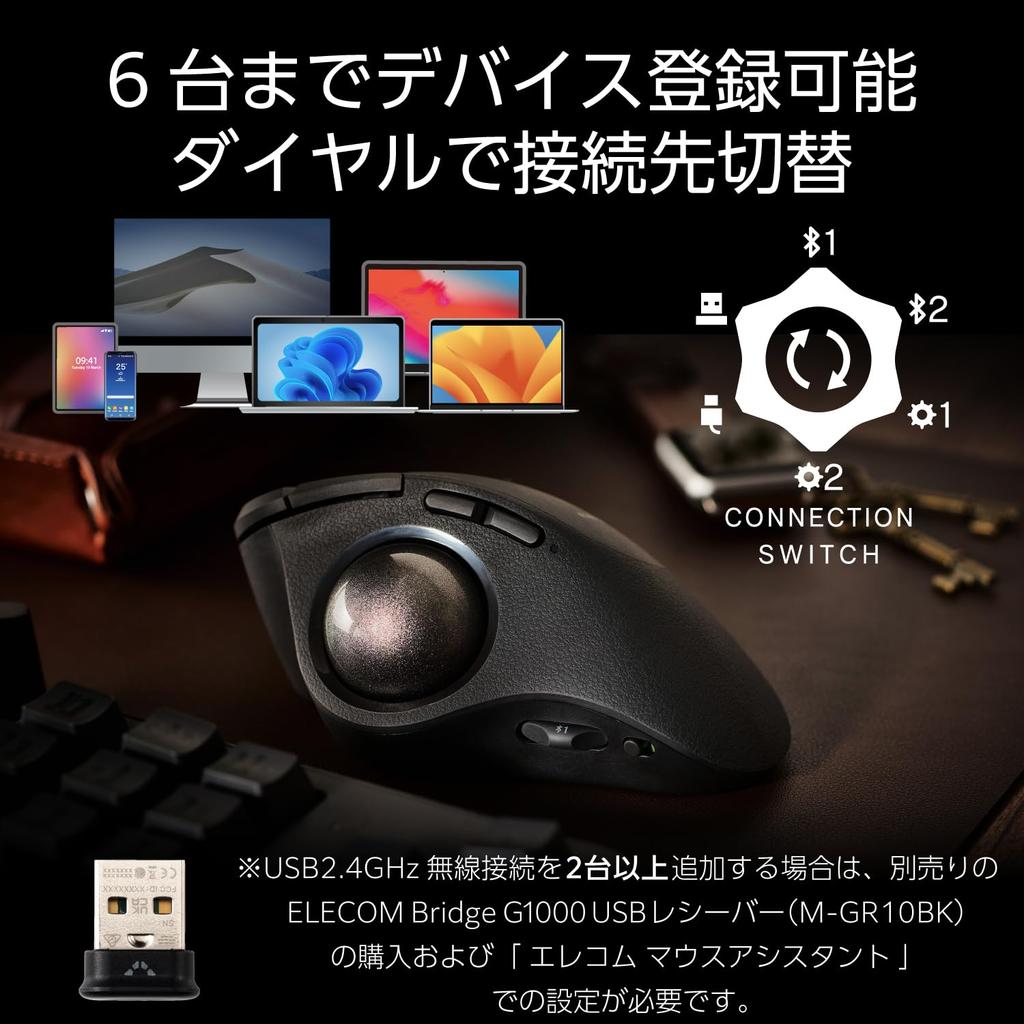
■Up to six connected devices can be registered. You can freely combine connection methods to suit your environment and connected devices, such as PCs, tablets, and smartphones.
■* You can register up to two Bluetooth devices, one USB 2.4GHz wireless device, one USB wired device, or two devices using any other connection method, for a total of six devices.
■ A connection switching dial is located on the surface of the trackball. Easily switch connections without taking your hands off the trackball. (Patent pending)
■* To add a USB 2.4GHz wireless connection, you must purchase the separately sold ELECOM Bridge G1000 USB receiver and configure it using the ELECOM Mouse Assistant.
■ Choose from three pointer speed settings: Low, Mid, and High. The default settings are 500, 1000, and 1500 DPI. The setting can be adjusted in 100 DPI increments from 100 to 12,000 DPI using the ELECOM Mouse Assistant.
■ Equipped with ELECOM Bridge G1000 wireless technology. The gaming sensor (PixArt PAW3311DB) and high-grade MCU support a maximum report rate of 1000Hz, delivering communication and tracking performance that is durable enough for gaming.
■The left and right buttons use silent switches developed by Panasonic Corporation. This achieves exceptional quietness without sacrificing click feel or durability.
■Silent switches are also used for other buttons, allowing you to use your computer during meetings or working early in the morning or late at night without disturbing others.
■The receiver can be stored inside the device, making it less likely to be lost and convenient to carry.
■The power switch on the side of the device allows for smooth power on/off without turning the device over, preventing battery drain when not in use.
■Choose from three power options: USB wired connection, easily replaceable dry batteries, or rechargeable with a separately sold battery pack.
■※A battery pack is not included with this product. Please use a separately sold battery pack.
■※Commercially available nickel-metal hydride rechargeable batteries cannot be used.
■ Equipped with a function that allows you to check the remaining battery level from your computer when connected via Bluetooth.
■ Equipped with an indicator that displays the battery replacement time and connection status.
■ A USB Type-C™ to USB-A cable for wired connections is included.
■ This product comes with a two-year warranty for peace of mind.
■ This product meets one or more of ELECOM's environmental certification standards and bears the "THINK ECOLOGY" mark.
■ In an effort to reduce waste, this product includes paperless instruction manuals and other materials.
■ In an effort to protect the environment, this product uses more than 20% less plastic in its packaging than the ELECOM standard.
[Product Inquiries]
ELECOM General Information Center
TEL. 0570-084-465
FAX. 0570-050-012
Hours: 10:00 AM - 7:00 PM, Open Year-Round
[Important Notes - For International Customers]
Thank you for purchasing this product. Please read the following important notes carefully before using this product overseas.
1. Legal and Safety Standards
This product complies with Japanese safety standards. Before using this product in your country, please verify compliance with local legal and safety standards.
Certain product categories (electronic devices, cosmetics, food, etc.) may require importing country certification.
2. Regarding Electrical Products
[Voltage Compatibility]
When using electrical appliances, please note that they are designed for Japanese voltage specifications (90-110V). Using them with a different voltage may cause malfunction.
[Plug Type]
Our products use Japanese plug types (Type A or Type B).
Please use a conversion adapter if necessary.
[Important Notes Regarding Transformers and Adapters]
A transformer adjusts the voltage to match the device's requirements.
A conversion adapter only modifies the plug shape; it does not adjust the voltage.
Using a conversion adapter without a transformer may damage the product.
[Liability]
We are not responsible for any malfunctions or damage caused by improper use, such as operating the product without a transformer.
3. Language and Manual
Product instructions and labels may only be in Japanese.
You can download the English manual from our website.
4. Product Returns and Exchanges
Please note that if you wish to return or exchange a product, you must submit a video of the product being unpacked.


 Rambursare în caz de nelivrare


